 Zhongye

2026-03-29-oh-my-posh配置分享
278 个字
1 分钟
2026-03-29-oh-my-posh配置分享
作为落魄软开人,终端命令行(CLI)无疑是我们日常工作中不可或缺的工具之一。因此想拥有一个既美观又实用的终端界面,不至于天天盯着那个黑框框,感觉那个比较单调乏味~
官方网站,教程在里面 https://ohmyposh.dev/
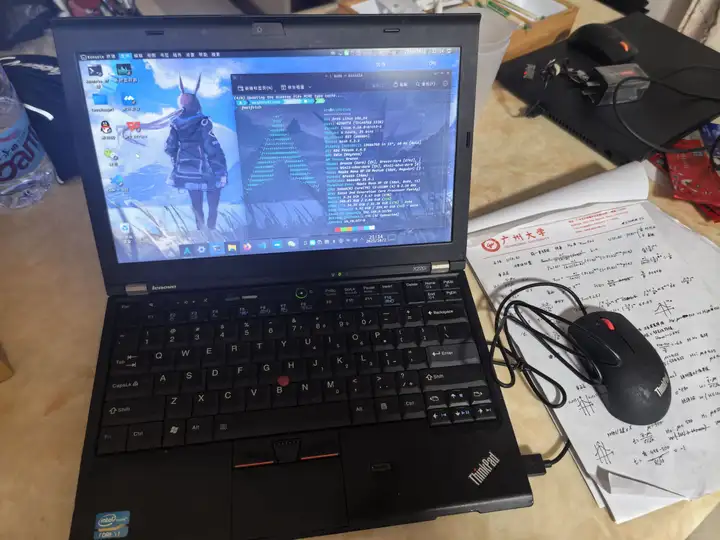
先看美化完成后的结果:


配置分享:
{ "$schema": "https://raw.githubusercontent.com/JanDeDobbeleer/oh-my-posh/main/themes/schema.json", "blocks": [ { "alignment": "left", "segments": [ { "foreground": "#00CCFF", "style": "plain", "template": "<#00CCFF># </><#00CCFF>{{ .UserName }}</> <#FFFFFF>in</> <#00FFAA>{{ .HostName }}</> ", "type": "session" }, { "foreground": "#00BFFF", "properties": { "folder_icon": "\uf115", "folder_separator_icon": " \ue0b1 ", "style": "folder" }, "style": "plain", "template": " {{ .Path }} ", "type": "path" }, { "foreground": "#00BFFF", "style": "plain", "template": "{{ .HEAD }} ", "type": "git" } ], "type": "prompt" }, { "alignment": "right", "segments": [ { "foreground": "#FFFFFF", "style": "plain", "template": "[{{ .CurrentDate | date .Format }}]", "type": "time" } ], "type": "prompt" }, { "alignment": "left", "newline": true, "segments": [ { "foreground": "#00FFAA", "style": "plain", "template": "\uf0e7 ", "type": "root" }, { "foreground": "#FFFFFF", "style": "plain", "template": "\ue235 {{ if .Error }}{{ .Error }}{{ else }}{{ if .Venv }}{{ .Venv }} {{ end }}{{ .Full }}{{ end }} ", "type": "python" }, { "foreground": "#FF5555", "style": "plain", "template": " {{ reason .Code }} ", "type": "status" }, { "foreground": "#FFFFFF", "style": "plain", "template": ">_ ", "type": "text" } ], "type": "prompt" } ], "final_space": true, "version": 3}分享到社交平台
将本文分享给你的朋友们
2026-03-29-oh-my-posh配置分享
https://zhongye1.github.io/posts/2026-03-29-oh-my-posh配置分享/ 相关文章 智能推荐
1
分布式处理与计算:数据降维
笔记 PCA 两个等价视角推导、Lasso 正则化与 L1 稀疏性原理
2
分布式处理与计算:聚类分析
笔记 常用距离度量、层次聚类与 K-Means 算法
3
分布式处理与计算:数值优化方法
笔记 大O小o符号、牛顿迭代法与收敛性理论基础
4
分布式处理与计算:分类与回归分析
笔记 线性回归最小二乘估计、逻辑回归与广义线性模型
5
分布式处理与计算:随机模拟和统计推断
笔记 逆分布法、拒绝接受法、EM 算法与分布式参数估计
随机文章 随便看看
评论
新的博客站!旧站点传送门 👇
音乐
暂无播放
0:00 0:00
143
14
202
417,493
0 天
0 天前
42296 次
29212 人