这篇笔记主要讲在新创建前端项目后,如何通过 GitHub-Actions 实现每次 push 到 main 分支后,GitHub 自动构建 → 自动发布页面的操作
参考 https://zhongye1.github.io/BDdraw_DEV/#/
其从仓库 https://github.com/Zhongye1/BDdraw_DEV 实现自动构建和部署
0.前置条件
- GitHub 账户 + 一个 public 仓库(私有仓库需要 GitHub Pro 才能开 Pages)
1. 创建 GitHub Actions 工作流
在仓库根目录创建文件: .github/workflows/deploy.yml
1
2
3
4
5
6
7
8
9
10
11
12
13
14
15
16
17
18
19
20
21
22
23
24
25
26
27
28
29
30
31
32
33
34
35
36
37
38
39
40
41
42
43
44
| name: Deploy to GitHub Pages
on:
push:
branches: [main]
workflow_dispatch:
permissions:
contents: read
pages: write
id-token: write
jobs:
deploy:
environment:
name: github-pages
url: ${{ steps.deployment.outputs.page_url }}
runs-on: ubuntu-latest
steps:
- name: Checkout
uses: actions/checkout@v4
- name: Setup Bun
uses: oven-sh/setup-bun@v1
with:
bun-version: latest
- name: Install dependencies
run: bun install
- name: Build
run: bun run build
- name: Setup Pages
uses: actions/configure-pages@v5
- name: Upload artifact
uses: actions/upload-pages-artifact@v3
with:
path: "./dist"
- name: Deploy to GitHub Pages
id: deployment
uses: actions/deploy-pages@v4
|
2. 配置 vite.config.ts 的 base
打开 vite.config.ts
1
2
3
4
5
6
7
| import { defineConfig } from 'vite'
import react from '@vitejs/plugin-react'
export default defineConfig({
plugins: [react()],
base: '/BDdraw_DEV/',
})
|
如果想让它在本地开发和 GitHub Pages 都正常,可以写成动态 base:
1
2
3
4
| export default defineConfig({
plugins: [react()],
base: process.env.NODE_ENV === 'production' ? '/BDdraw_DEV/' : '/',
})
|
3. GitHub 仓库设置 Pages 为 Actions 模式
- 进入仓库 → Settings → Pages(左侧菜单)
- Build and deployment → Source 选 GitHub Actions
- 保存
4. 提交代码触发第一次部署
1
2
3
| git add .
git commit -m "chore: 新建 GitHub Actions 部署工作流"
git push origin main
|
然后去仓库 → Actions 标签页,就能看到正在跑的 “Deploy to GitHub Pages” 工作流。
成功后可以前往对应的 GitHub Pages 地址查看效果
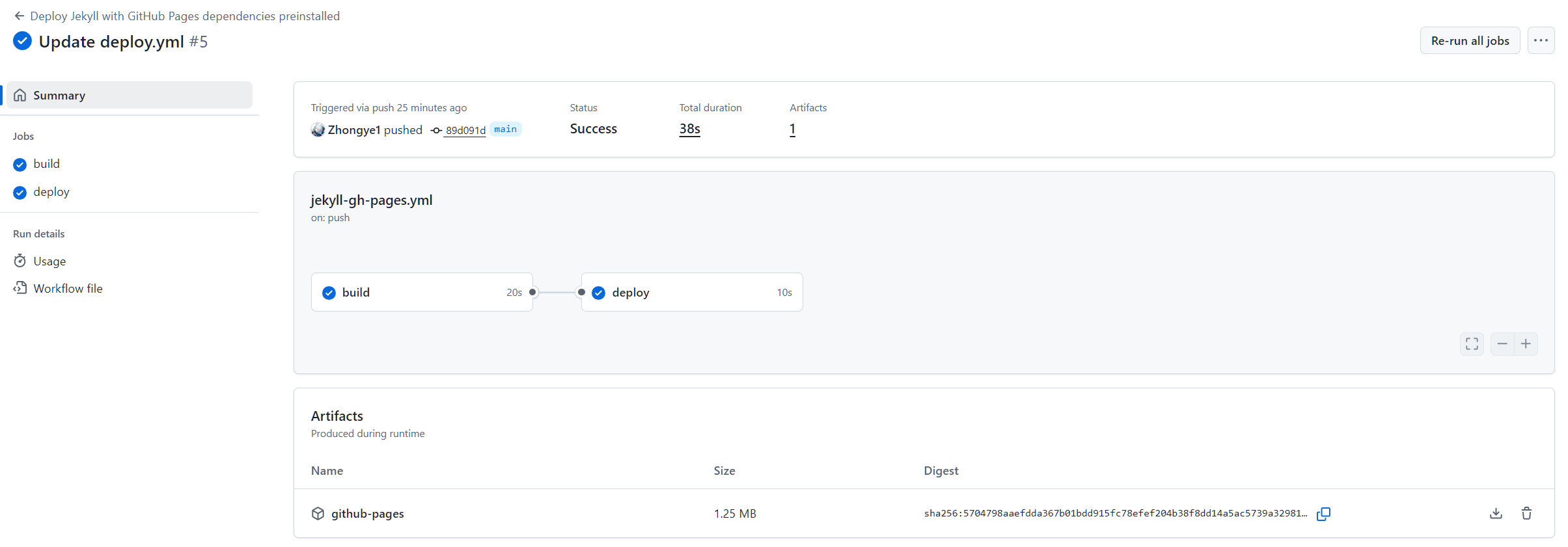
只要 push 到 main 分支,GitHub Actions 就会自动触发工作流,实现自动部署。
如果是私有仓库,需要 GitHub Pro 才能开 Pages